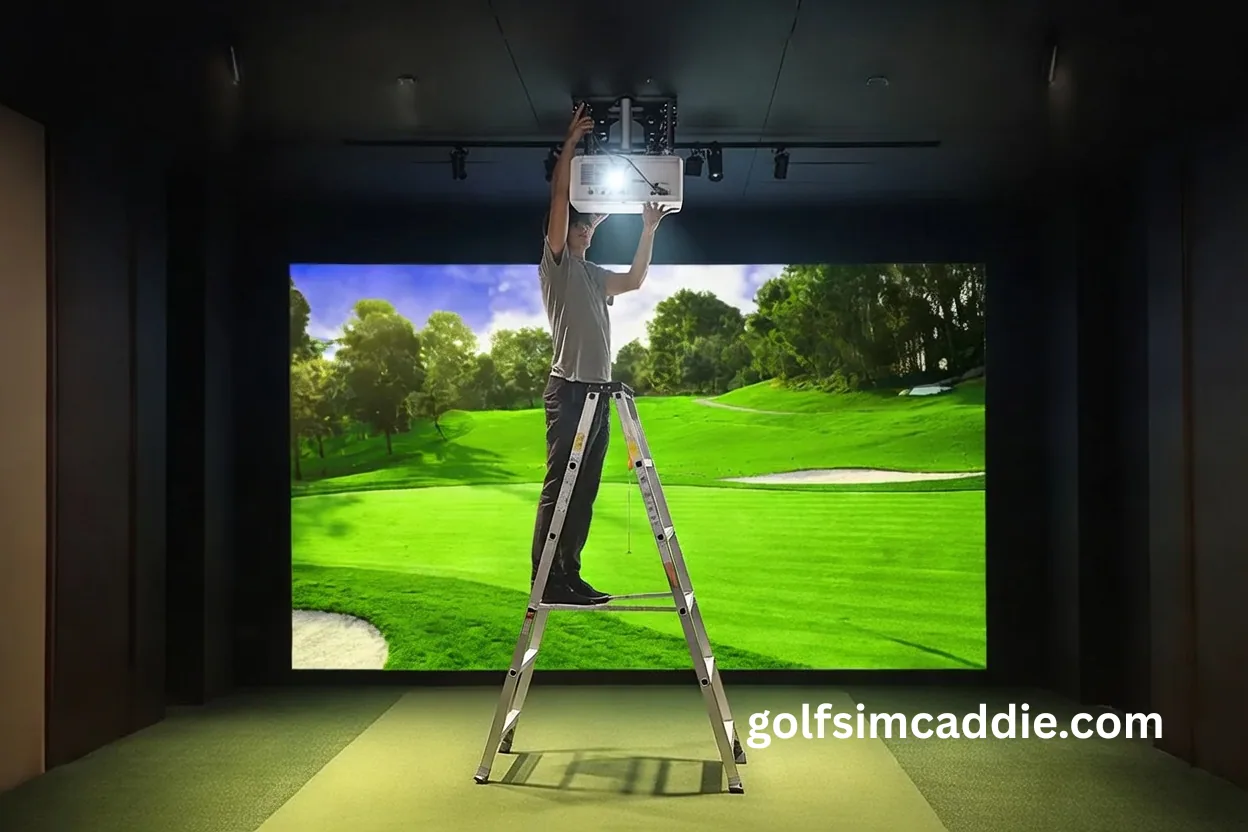
Mounting a projector for your golf simulator seems simple enough. Pick a spot, attach a bracket, plug it in. But small errors in projector placement cascade into big problems, distorted images, constant recalibration, shadows across your screen, and sometimes hardware that has to be completely repositioned.
Here are the mistakes that trip up golf simulator builders most often, and how to avoid making them yourself.
Mistake 1: Ignoring Throw Distance Calculations
Every projector has a throw ratio that determines how far it needs to be from the screen to produce a specific image size. This isn't a suggestion. It's physics. Always double check the throw ratio before purchasing!
What Goes Wrong
Builders measure their room, pick a projector that seems to fit, and discover after installation that the image is either too small or extends past the edges of their screen. Sometimes the projector is too close and the image can't be focused properly. Other times it's too far and the image doesn't fill the screen.
How to Avoid It
Before buying, use the manufacturer's throw calculator with your exact measurements. Measure from the planned projector position to the screen surface, not just the room dimensions. Account for mount offset, the projector lens may sit several inches in front of the mounting bracket.
If your room depth is borderline, consider whether a different throw ratio projector would give you more margin. Forcing a projector into a space it doesn't quite fit is a recipe for compromises you'll notice every session.
Mistake 2: Mounting at the Wrong Height
Projectors need to be aimed at the screen from an angle that allows proper image alignment. Mount too high or too low, and you'll fight geometry the entire time.
What Goes Wrong
A projector mounted well above the screen's center projects downward at a steep angle, requiring heavy keystone correction that degrades image quality. A projector mounted too low may have its image cut off by your enclosure frame or produce hotspots on the screen.
How to Avoid It
Ideal mounting places the projector lens roughly centered vertically with the screen, or slightly above center with a gentle downward tilt. The exact height depends on your screen size and projector lens offset.
Check your projector's specifications for recommended mounting height relative to screen dimensions. Many projectors have lens shift features that let you adjust the image position without tilting the unit, but these work best within specific ranges.
Mistake 3: Over-Relying on Keystone Correction
Keystone correction is a digital feature that squares up an image when the projector isn't perfectly aligned with the screen. It's convenient, but it comes at a cost.
What Goes Wrong
Keystone correction works by cropping and stretching the image digitally. This reduces effective resolution and can introduce visible distortion, especially on text and fine details. Heavy keystone correction makes a good projector look mediocre.
How to Avoid It
Treat keystone as a last resort, not a setup shortcut. Position the projector so that minimal correction is needed. If you can't get the image squared up without significant keystone adjustment, your mounting position is wrong.
Invest in an adjustable mount that lets you fine-tune the projector angle. Getting physical alignment right is always better than fixing misalignment digitally.
Mistake 4: Creating Shadow Problems
Your body and club can cast shadows on the screen during your swing. Where you mount the projector determines how severe this issue is.
What Goes Wrong
A projector mounted directly behind the hitting area at head height shines past you toward the screen. When you swing, your body blocks the light and creates moving shadows across the image. This is distracting at best and makes certain shots hard to see.
How to Avoid It
Mount the projector higher than your head or use a short-throw projector mounted in front of the hitting area. The goal is to project light from an angle where your swing doesn't interrupt it.
Some shadow is nearly unavoidable with rear-mounted projectors, but you can minimize it by maximizing the vertical angle between the projector and your swing plane.
For more on projector placement options and their tradeoffs, check out our TV vs projector guide.
Mistake 5: Using Inadequate Mounting Hardware
A projector weighs several pounds and runs for hours at a time. Vibration, heat, and the projector's own cooling fan can all affect stability. Cheap or improvised mounting solutions often fail.
What Goes Wrong
Drywall anchors pull out over time. Flimsy brackets flex and cause the image to drift. Projectors mounted to ceiling fans or other non-rigid structures vibrate visibly. Thermal expansion shifts the image as the projector heats up.
How to Avoid It
Mount to solid structures such as ceiling joists, blocking, or reinforced framing. Use a quality mount rated for your projector's weight with margin to spare. If your ceiling is drywall over empty space, add blocking before mounting.
Test stability by tapping the mount firmly. If the image wobbles, the mount isn't secure enough.
Mistake 6: Forgetting About Future Upgrades
Your first setup probably won't be your last. Tastes change, technology improves, and better equipment becomes affordable. A rigid installation can make future changes painful.
What Goes Wrong
A projector mounted in a tight space with permanently routed cables is difficult to replace or upgrade. A screen sized perfectly for one projector may be too small or too large for its successor.
How to Avoid It
Leave some flexibility in your mounting position. Use cable management that allows access. Consider mount systems that accommodate different projector sizes and weights. Size your screen for the image dimensions you want, not the absolute maximum your current projector can produce.
Getting It Right the First Time
Projector mounting is one of those tasks where doing it right takes the same amount of time as doing it wrong, you just avoid the rework.
Before you drill a single hole:
- Calculate throw distance and confirm your projector choice fits your space
- Map out mounting height relative to screen center
- Plan cable routing and power access
- Check for shadow interference at swing positions
- Verify structural support at your mounting location
The Build Wizard can help you think through display placement as part of your overall room planning.
The Bottom Line
Most projector mounting mistakes come from rushing the planning stage. The projector doesn't care about your schedule. It will only produce a good image if it's positioned correctly.
Measure twice. Confirm your calculations. Mount to solid structure. And treat keystone correction as a red flag that something else is wrong, not a solution in itself.
A well-mounted projector disappears from your awareness during a session. A poorly mounted one demands attention every time you play. The extra hour of planning is worth it.